Which MacBook is right for you?
Apple Silicone has changed the game, making every MacBook a no brainer. Even the MacBook Air is now extremely capable thanks to the way in which Apple have seamlessly integrated the hardware and software. Your Mac will continue to be useful long into the future as Apple continue to roll out updates to macOS bringing new features every year. We've put this guide together to answer the common questions and to give you an answer on what the right MacBook is for you.
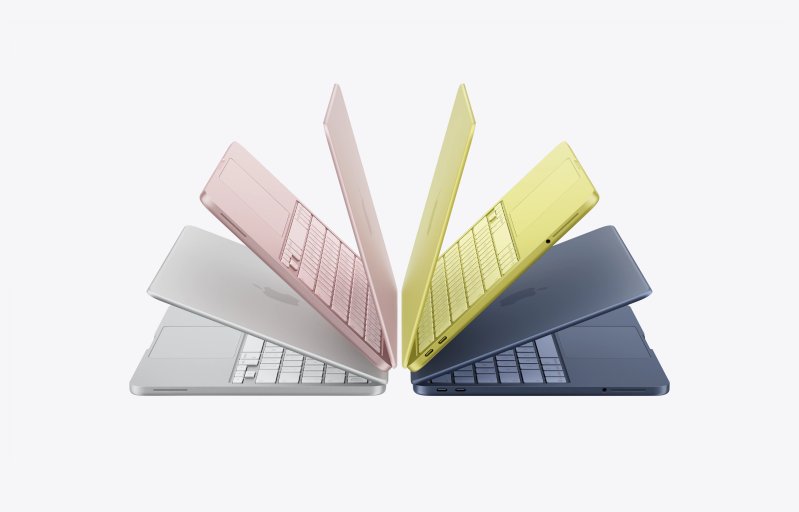
Every MacBook comes with a Liquid Retina display and the Pro models get the Liquid Retina XDR display backlit by mini-LED technology. The 14-inch MacBook Pro actually has more pixels available than the 15" MacBook Air, so your choice might come down to a few different factors.
Is the MacBook Neo for me?
A newcomer to the lineup is the MacBook Neo which launched at an unbelievable price. Despite a price increase in the months since, it's still a fantastic deal.
The MacBook Neo looks perfect for students. If you have an iPad as a low-cost Apple device for browsing the web and taking care of admin, then the MacBook Neo takes the touchscreen away but brings the full Mac experience and wraps it in familiar package.
After the introduction of Apple Silicone, the MacBook Air became the obvious choice for the majority of people but now the Neo lowers the price and barrier to entry. For anyone that won't be pushing the limits of their hardware then this is one you should seriously consider.
Should you get a MacBook Pro or a MacBook Air?
Video editors, photographers and programmers will probably benefit from the extra memory, CPU and GPU cores that are available in a MacBook Pro with a M4 Pro or M4 Max chip but a MacBook Air would probably provide enough power to get you through tasks as an amateur in all of those fields.
If colour reproduction, refresh rates or dynamic range are important to you then a MacBook Pro is the one to go for. The Liquid Retina XDR display is a great display for watching HDR content on and through Apple's settings you can tweak the display for different situations and tasks.
What processor should I get?
Apple Silicone is not only extremely capable, it is energy efficient and fully integrated. Within 4 generations, the base M-series chips catch up with Max models and make them faster than the Intel MacBook Pros of the past.
Taking the M4 generation as an example, the M4 Pro chip is a fantastic compromise for efficiency and additional power. More than enough for demanding tasks that need sustained performance.
If you really push your hardware with the work you do, then a Max version of Apple Silicone will give you all the power you need to fly through tasks and then there's the Ultra where two get fused together. Exporting video for example will be faster and you should be able to fly through all sorts of tasks without breaking a sweat.
Is it worth getting the Nano-texture display?
This comes down to personal preference and the situations within which you might use your MacBook Pro. If you're out and about, be it coffee shops or wanting to work outside, then it could be a great investment as it will greatly reduce glare by diffusing light and letting the content shine. It is worth knowing that the textured display does diffuse the picture making everything a little softer. It's a lot like applying a Paperlike protector to your Mac but it's built into the display.
Compare MacBooks
Compare the key differences between the various MacBooks available.
| Model | Features | Best For | Buy | |
|---|---|---|---|---|
| 1. | 14 & 16-inch MacBook Pro |
|
|
|
| 2. | 13 & 15-inch MacBook Air |
|
|
|
| 3. | MacBook Neo |
|
|
Where to buy your MacBook
You can buy a MacBook Neo, MacBook Air or MacBook Pro directly from Apple or from a variety of online stores like Amazon.
Any links that take you away from Good Gear Club may include links to affiliated stores where commissions are earned.